

how-to
7 Event Rental Setup Timeline Steps That Prevent Chaos
Last Updated: October 25, 2026
Quick Summary
An event rental setup timeline is a written schedule that assigns every delivery, install, and teardown to a specific time window and a named person. Build it from a reusable template, stagger vendor load-in windows, and add trigger times for late deliveries so delays never cascade.
- Confirm the event date and venue twelve to sixteen weeks out, then tighten the schedule to hours as the date nears.
- Sequence tents and staging first, tables and chairs next, then linens, lighting, and the photo booth last.
- Give each vendor its own arrival slot and its own door so two crews never compete for the same path.
- Set trigger times at fifteen, thirty, and sixty minutes late so the backup plan starts without debate.
- Schedule teardown by rental category and reconcile counts against the delivery checklist before the truck leaves.
Table of Contents
- Why an Event Rental Setup Timeline Decides the Day
- Step 1: Build Your Event Setup Timeline Template
- Step 2: Draft the Event Load-In Schedule by Vendor
- Step 3: Work Through the Event Rental Delivery Checklist
- Step 4: Set the Photo Booth Setup Timeline
- Step 5: Assign Responsibility Handoffs and Day-Of Communication
- Step 6: Plan Contingencies for Late Deliveries, Damage, and Weather
- Step 7: Schedule Teardown, Returns, and Inventory Reconciliation
- What Matters Most
- Frequently Asked Questions
Why an Event Rental Setup Timeline Decides the Day
An event rental setup timeline is a written schedule that assigns every delivery, install, and teardown to a specific time window and a named person.
Most problems on event day are not creative problems. They are sequencing problems. A tent crew arrives before the tables leave the truck.
A timeline fixes that. Below are seven steps to build one, from the first planning call to the last inventory count.
Step 1: Build Your Event Setup Timeline Template
Start with a template, not a blank page. An event setup timeline template is a simple grid: time, vendor, item, location, contact, and status. Build it once and reuse it for every event.
The template should cover three phases:
- Advance planning: bookings, contracts, and confirmations
- Load-in and setup: deliveries, installs, and checks
- Teardown and returns: breakdown, pickup, and reconciliation
Fill in the grid from the event date backward. Work in weeks first, then tighten to hours as the date gets close.
Weeks-Out Milestones That Lock the Schedule
Milestones keep the schedule honest. Set these markers early and confirm each one in writing.
- Twelve to sixteen weeks out: confirm the event date and venue, set event objectives, and estimate guest count
- Eight to twelve weeks out: lock rental categories, request an itemized quote, and confirm booking lead time
- Four to six weeks out: finalize the floor plan and site plan, confirm delivery windows, and review labor fees
Two weeks before the event is when last-minute costs appear. Anything not confirmed by then should be treated as a risk, not a plan.
Step 2: Draft the Event Load-In Schedule by Vendor
An event load-in schedule assigns each vendor a fixed arrival window and a fixed path from the truck to the setup spot. Staggered windows beat one big morning rush, but windows alone are not enough. The schedule has to account for how items physically get from the vehicle to the floor.
Run a Site-Readiness Walk Before You Assign a Single Time
Walk the venue with the site contact and answer these in writing. Every unanswered question becomes a delay on event day.
- Access window: When does the loading area open, and when does it close? Many venues limit load-in to a fixed block and charge for overtime access.
- Route: Is there a loading dock, a service elevator, a ramp, or only a street door with a curb?
- Door and elevator dimensions: Measure the narrowest door and the elevator cab. A six-foot table or a backdrop frame that does not fit turns a ten-minute carry into a stairwell problem.
Photograph the route and the setup area on the walk. Attach the photos to the schedule so every crew sees the same door, the same ramp, and the same patch of floor.
Stack Vendors in the Order That Unblocks the Most Work
Sequence is not alphabetical. It follows what sits under or around what.
- Tents and staging first. Everything else is placed under or around them, and tent installs take the longest single block.
- Tables and chairs next. They define the floor plan and the walking lanes.
- Linens, drapes, and small rentals after furniture is placed. Dressing a table before it is in position means moving it twice.
- Lighting and AV once furniture is set. Cables route around final furniture positions, not the other way around.
- Photo booth and entertainment last. The booth needs a clear floor and a dedicated outlet, and it benefits from arriving after the heavy traffic has cleared.
Give Each Vendor Its Own Slot and Its Own Door
Two vendors given the same arrival window will compete for the same door. Give each one its own slot, even if the slots are only twenty minutes apart. If the venue has a single door, sequence the largest items first so the narrowest carries happen while the floor is still empty.
Build the Load-In Grid
Put the schedule on one page with these columns: arrival window, vendor, items, route and door, placement location, receiving contact, and status. Print it and post it at the load-in door. A schedule that lives only on someone's phone is a schedule half the crew never sees.
Step 3: Work Through the Event Rental Delivery Checklist
A written event rental delivery checklist catches the errors that a verbal plan misses.
The checklist should record:
- Vendor name and delivery window
- Item count against the rental order
- Condition at delivery, including any existing damage
- Placement location per the floor plan
- Signature from the receiving contact
- Photo of the completed setup
That last item matters more than people expect. A dated photo of the setup protects both sides if a question comes up later about condition or placement.
Keep the checklist on the same document as the timeline. Splitting them across two files is how details get lost.
Step 4: Set the Photo Booth Setup Timeline
A photo booth setup timeline is the part of the schedule most hosts underestimate. The booth needs a clear block of time, a clear patch of floor, and a power source that is not shared with the catering team.
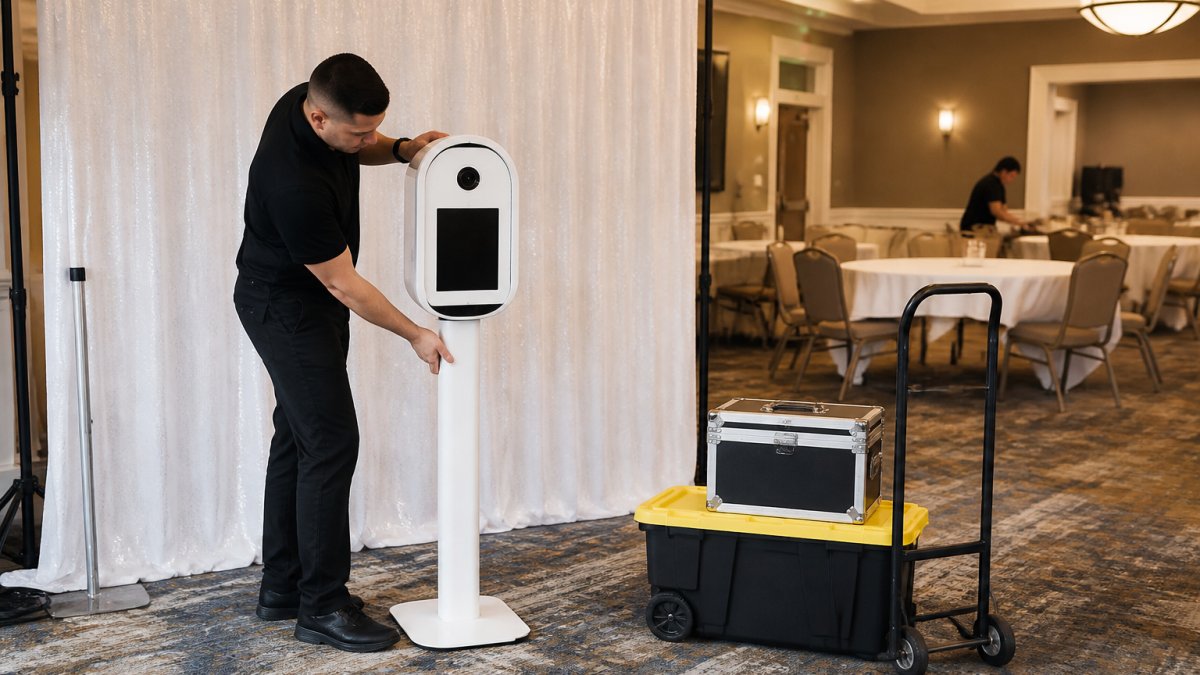
Book the booth's arrival after tables and linens are placed but before guests arrive. That window gives the crew room to work and leaves time for a test run.
Power, Floor Space, and Backdrop Clearances
Three physical requirements decide whether a booth setup goes smoothly.
- Power: one dedicated outlet within reach of the booth, not a shared power strip
- Floor space: enough room for the booth, the backdrop, and a guest queue without blocking a walkway
- Clearances: backdrop edges clear of doors, fire exits, and service lanes
The booth placement should appear on the same floor plan as the tables and staging. If the plan shows a booth in a spot the caterer needs, someone will move it at the worst possible moment. Readers can review the photo booth rental service details before locking the layout.
Step 5: Assign Responsibility Handoffs and Day-Of Communication
Every handoff needs a name. "The venue will handle it" is not a handoff. It is a hope.
Define these handoffs in writing:
- Vendor to venue: who receives deliveries and signs the checklist
- Vendor to planner or host: who confirms each setup is complete
- Setup to event start: who walks the floor for a final check
Pick one day-of contact and give that number to every vendor. One contact, one channel. Group texts with six people in them are how instructions get missed.
A short pre-event call the day before resolves most confusion. Fifteen minutes, everyone on the line, windows confirmed out loud.
Step 6: Plan Contingencies for Late Deliveries, Damage, and Weather
Contingency planning is where a timeline earns its keep. Assume something will slip, then decide in advance how much slack the schedule can absorb and who makes the call. A contingency that names no decision-maker is not a plan.
Late Deliveries: Set a Trigger, Not a Hope
Give every delivery window a trigger time, the moment the schedule stops absorbing the delay and the backup plan starts.
- Fifteen minutes late: the day-of contact calls the vendor for a status and a revised arrival time.
- Thirty minutes late: the next vendor's window is pushed, and the receiving contact is told which items are now at risk.
- Sixty minutes late: the backup plan for that category activates, a substitute item from the venue, a local supplier, or a dropped item the floor plan can absorb.
Write the trigger times into the schedule next to each window. A crew that has to invent a plan at the door will stall, and a stalled crew backs up every window behind it.
Damaged Items: Name the Backup Before the Event
Damage happens in transit, on the carry, and during use. Decide in advance what happens in each case.
- At delivery: the receiving contact notes the damage on the checklist, photographs it, and signs. The item is either accepted as-is with the damage recorded or refused and swapped.
- During the event: a short list of items that can be swapped or dropped without breaking the floor plan, a chair, a small table, a linen, is kept with the day-of contact.
- Backup contact: a named person at the rental supplier who can authorize a replacement, with a phone number that is answered on event day, not a general line.
Weather: Set a Decision Time and Hold to It
For outdoor setups, the weather call should be made early enough to move crews, not during the first raindrop.
- Pick a decision time, commonly a set number of hours before load-in, and put it on the schedule.
- Define the trigger: a forecast threshold, a wind threshold for tents and backdrops, or a venue call.
- Name the backup location: a covered area, an indoor room, or a tented zone, decided before the event day.
Authority to Approve Changes On Site
Confirm in writing who can approve a change on event day, a substitute item, a moved setup, an extra crew hour. A crew that has to call three people for permission will stall. Give the day-of contact authority up to a defined limit and a clear escalation path beyond it.
Step 7: Schedule Teardown, Returns, and Inventory Reconciliation
Teardown deserves its own schedule, not a vague note at the end of the night. Assign start times by rental category and give each crew a pickup window.
| Phase | What Happens | Who Owns It |
|---|---|---|
| Event close | Guests depart, floor cleared | Host or venue |
| Breakdown start | Photo booth and entertainment packed first | Rental crew |
| Furniture strike | Tables, chairs, staging broken down | Rental crew |
| Pickup windows | Each vendor collects within its slot | Day-of contact |
| Reconciliation | Counts checked against the rental order | Day-of contact |
Reconciliation is the step most people skip. Count items as they leave, compare against the delivery checklist, and note any damage before the truck pulls away. Doing this on site takes minutes.
What Matters Most
A good event rental setup timeline is boring on purpose. It names times, places, and people, and it leaves nothing to event-day improvisation. The seven steps above cover the whole arc: template, load-in schedule, delivery checklist, booth timing, handoffs, contingencies, and teardown.
The throughline is simple. Every calm event has a schedule behind it, and every chaotic one is missing the same document.
Frequently Asked Questions
How early should event rentals be delivered before an event?
Most rentals arrive the day before or the morning of the event, and the delivery window depends on venue access and how much setup the item needs. Tents and staging usually need the longest lead, while tables, chairs, and photo booths can arrive closer to the start time. Confirm the delivery window in writing with each vendor and build a buffer of at least 90 minutes before guests arrive so your event rental setup has room to absorb delays.
How much time should you allow for photo booth setup?
A photo booth setup timeline usually needs 60 to 90 minutes from arrival to first guest use. That covers unloading, positioning the booth, running power, testing the camera and lighting, and loading your custom template. Add extra time if the booth sits far from the loading dock or the venue requires a service elevator. Ask your provider to arrive at least two hours before the event start so the booth is tested and staffed well before the first photo.
What should be included in an event rental delivery checklist?
An event rental delivery checklist should list every item by quantity, the confirmed delivery window, the venue contact and phone number, the load-in route and dock reservation, and who signs for the delivery. Add a condition check at drop-off: count items, note damage in writing, and photograph anything questionable before the crew leaves. Keep a copy on your phone so you can compare it against the itemized quote and the final invoice.
When should you confirm rental delivery details with the venue and vendors?
Confirm delivery details two to three weeks before the event, then reconfirm 48 hours out. The first call locks the delivery window, dock access, and load-in route with the venue. The second catches last-minute changes in venue hours, staffing, or weather plans. Put the confirmed schedule in writing and send it to every vendor, including your photo booth provider, so all load-in times line up instead of colliding.

Frequently asked questions
How early should event rentals be delivered before an event?
Most rentals arrive the day before or the morning of the event, and the delivery window depends on venue access and how much setup the item needs. Tents and staging usually need the longest lead, while tables, chairs, and photo booths can arrive closer to the start time. Confirm the delivery window in writing with each vendor and build a buffer of at least 90 minutes before guests arrive so your event rental setup has room to absorb delays.
How much time should you allow for photo booth setup?
A photo booth setup timeline usually needs 60 to 90 minutes from arrival to first guest use. That covers unloading, positioning the booth, running power, testing the camera and lighting, and loading your custom template. Add extra time if the booth sits far from the loading dock or the venue requires a service elevator. Ask your provider to arrive at least two hours before the event start so the booth is tested and staffed well before the first photo.
What should be included in an event rental delivery checklist?
An event rental delivery checklist should list every item by quantity, the confirmed delivery window, the venue contact and phone number, the load-in route and dock reservation, and who signs for the delivery. Add a condition check at drop-off: count items, note damage in writing, and photograph anything questionable before the crew leaves. Keep a copy on your phone so you can compare it against the itemized quote and the final invoice.
When should you confirm rental delivery details with the venue and vendors?
Confirm delivery details two to three weeks before the event, then reconfirm 48 hours out. The first call locks the delivery window, dock access, and load-in route with the venue. The second catches last-minute changes in venue hours, staffing, or weather plans. Put the confirmed schedule in writing and send it to every vendor, including your photo booth provider, so all load-in times line up instead of colliding.